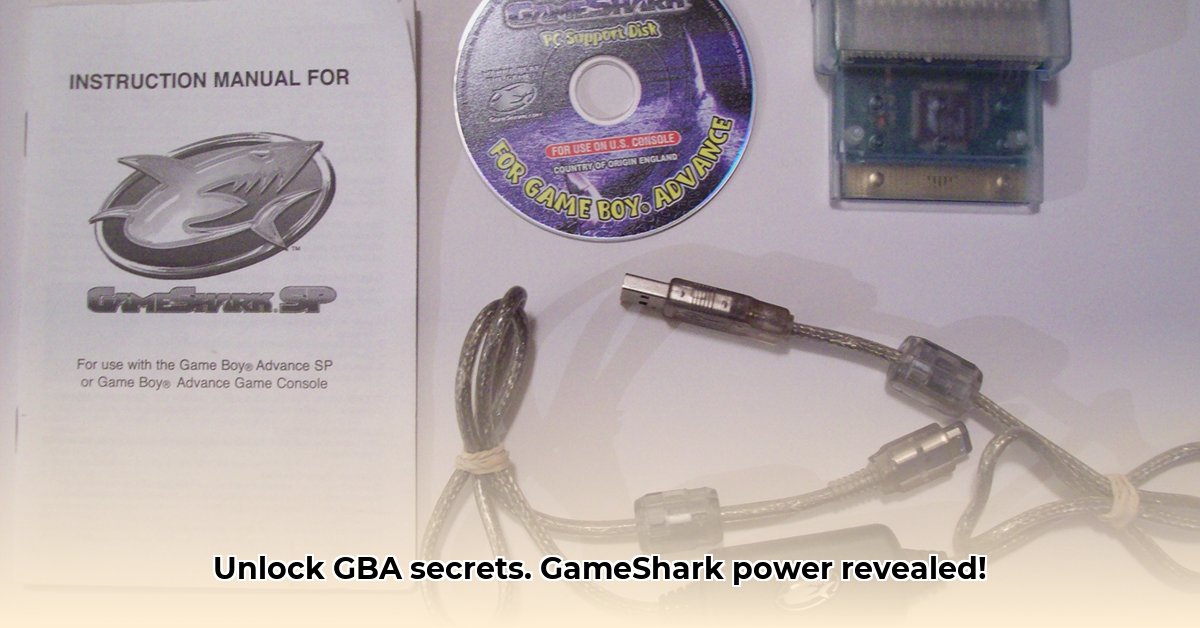
Getting Started: Connecting Your GameShark
Before embarking on your retro gaming adventure with enhanced capabilities, gather your essential tools: your Game Boy Advance console, the Game Boy Advance game cartridge you wish to modify, and your GameShark device. Think of it as assembling a powerful trio: the console, the game, and the GameShark acting as an intermediary to alter the in-game experience. Let's get started.
Step 1: Ensure your GBA is completely powered down. This is a crucial step to prevent any potential issues during the connection process.
Step 2: Gently insert the GameShark into the GBA's cartridge slot. It should slide in smoothly. Avoid forceful insertion, which may damage the device.
Step 3: Carefully insert your game cartridge into the GameShark. Once again, a gentle push is sufficient. Ensure a snug fit for optimal performance.
Step 4: Power on your GBA. Upon successful connection, you should see the GameShark's main menu displayed on the GBA screen. You're now ready to explore the world of cheat codes and game modifications.
Navigating the GameShark Menu: Your Cheat Command Center
The GameShark's menu system provides a central hub for managing your chosen game modifications. Though the specifics vary slightly between different GameShark models, the core functions remain consistent across most versions. Understanding these menus is key to unlocking the device's full potential.
Game Selection: This section is where you choose the game you'll be modifying. Select the game cartridge you've inserted into the GameShark. Accuracy is crucial here; selecting the wrong game may lead to errors or incompatibility issues.
Code Input: This pivotal section is where cheat codes are input manually. The accuracy of your code entry is essential for successful implementation. One wrong digit can lead to a non-functional code or, in some cases, a game crash.
Code Management (if applicable): Some GameShark models allow you to save and load your cheat codes, creating a personalized library of your go-to modifications. This saves time and effort, especially for frequently used cheats.
Other Functions (if applicable): Depending on your GameShark model, additional functions may be available. These might include features such as saving and loading game states. This allows users to save their progress at any point and experiment with different cheat codes without losing their progress.
Finding and Using Cheat Codes: A Deep Dive into Online Resources
The internet is a treasure trove of cheat codes! Numerous websites and forums are dedicated to compiling and sharing cheat codes for various GBA games. Finding the right codes is usually a simple search away. Remember to vet your sources, however; not all cheat codes are created equal.
Step 1: Use your preferred search engine to locate a reputable GBA cheat code database. A simple search like "[Your Game Title] GBA cheat codes" is usually enough.
Step 2: Carefully select the codes you're interested in. Most reputable sources provide detailed descriptions of each code's effect. Understand what each code does before activating it.
Step 3: Accurately input the codes into your GameShark, following the instructions provided. Precision is paramount! A single misplaced digit can render the code unusable.
Step 4: Regularly save your game. This safeguards your progress, especially when experimenting with new or untested cheat codes.
Troubleshooting: Common GameShark Problems and Solutions
Despite your best efforts, occasional hiccups may occur. Below we detail some common issues and their solutions:
| Problem | Possible Solutions |
|---|---|
| GameShark not recognized | Verify all connections. Ensure both the GameShark and the game cartridge are securely seated. Try a different game cartridge to rule out incompatibility. |
| Incorrect cheat code entry | Carefully re-check the code entered. Many websites feature user comments that may highlight common entry errors. Start with a simple code first. |
| Game crashes/freezes | Try a different set of codes. Some games are more sensitive to cheat codes than others. Ensure your GameShark is compatible with the game version. |
| Incompatibility with a game | Not all GameSharks are compatible with all GBA games, and compatibility issues are possible with specific game versions. |
Advanced Techniques (For Experienced Users): Custom Cheat Codes
For those with advanced technical skills, GameSharks sometimes allow the creation of custom cheat codes. This typically involves a deeper understanding of hex editing and game programming, requiring significant technical expertise.
Ethical Considerations: Responsible Cheating
While using cheat codes offers exhilarating possibilities, remember that they alter the intended game experience. Strike a balance between enhancing gameplay and maintaining the integrity of the developer's original vision. Avoid using cheats in multiplayer games that might negatively impact the experience of other players.
Conclusion
This guide provides a detailed walkthrough of using a Game Boy Advance GameShark. Remember to exercise responsible use and enjoy unlocking the hidden potential within your favorite retro games! Always remember to obtain ROMs legally, either by owning physical copies or through legitimate digital distribution. Downloading ROMs you don't own is copyright infringement.
⭐⭐⭐⭐☆ (4.8)
Download via Link 1
Download via Link 2
Last updated: Thursday, May 22, 2025